
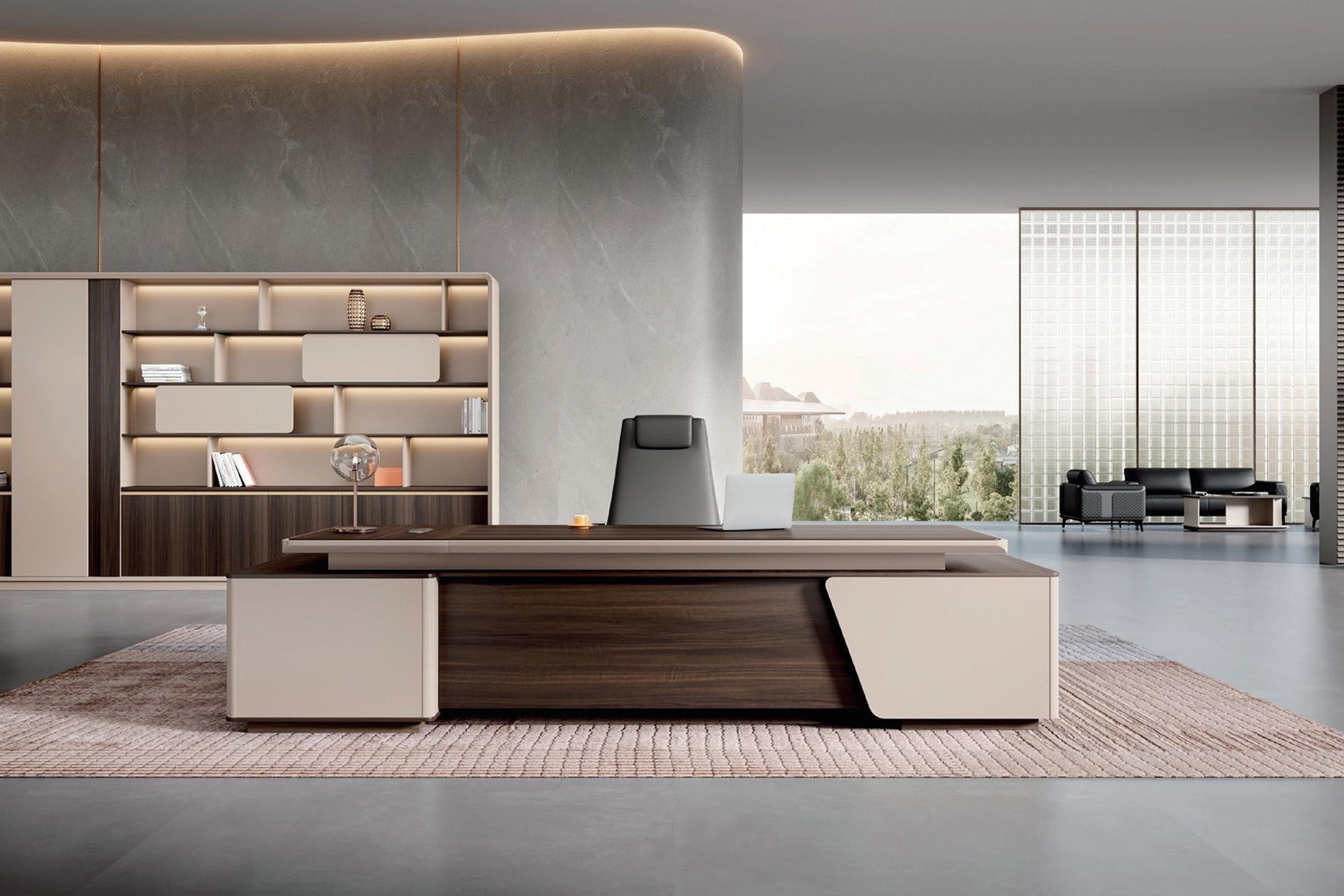


A 55-inch desk sounds generous until two monitor bases take the back half, a dock claims one corner, and the keyboard ends up almost flush with the front edge. The desk is not necessarily undersized. It may simply have the wrong dimension for the equipment.
That distinction matters because “standard desk dimensions” are usually presented as three numbers, while actual equipment competes for different parts of the work surface. A desktop can be wide enough for two screens but too shallow for their stands. It can be deep enough for a monitor yet too narrow once speakers, a laptop, and a notebook are added. Even a desk listed at 30 inches high may place the keyboard too high for a particular user or leave too little clearance for chair armrests beneath an apron.
Use standard desk sizes to narrow the search, then test the exact setup. When comparing Zimasya office desks or larger executive desks, treat length, front-to-back depth, height, storage, and cable access as separate decisions rather than one overall idea of “big enough.”
A Standard Desk Size Is a Starting Point, Not a Fit Test
Many fixed office desks are roughly 29 to 30 inches high. Common rectangular tops often begin around 47 to 48 inches long and 24 inches deep, while roomier office desks may be 55 to 72 inches long and around 28 to 31 inches deep. Those are useful shopping ranges, not a single industry size that fits every user and task.
Read the labels carefully. Some product pages use length x width x height, with “width” describing the front-to-back desktop dimension. Others use width x depth x height. An L-shaped desk may list the total return footprint. Before comparing models, use the drawings to identify the same physical edges.
Even then, the outside measurement is not always the usable work surface. A raised shelf, cable-box lid, thick privacy panel, side cabinet, rounded corner, or beveled front edge can reduce where equipment actually sits.
Width, Depth, and Height Solve Different Problems
Desk width controls what can sit side by side. It has to accommodate the monitors in their final angle, not just their advertised diagonal sizes. Add the laptop, dock, speakers, phone, task light, and the part of the desk used for paper.
Desk depth controls the front-to-back working relationship. It determines how far the monitor stand can sit from the front edge, whether there is a stable keyboard and mouse zone, and whether a document can rest in front of the screen without covering the keyboard.
Desk height controls the relationship between the user, chair, keyboard, and underside. A familiar 30-inch height does not guarantee a comfortable typing position. Chair adjustment may solve the surface-height issue, but only if the user’s feet remain supported and the armrests, thighs, and knees clear the frame and storage below.
The widest desk that fits the wall can still produce a poor workstation. Width cannot compensate for missing depth, and a large top cannot compensate for a cabinet in the knee space.
Why Desk Depth Matters as Much as Width
Monitor dimensions are measured across the screen, but the part that consumes desk depth is the base. A deep V-shaped stand may reach forward several inches beyond the screen. If the desk also needs a gap behind the monitor for plugs, a cable-box lid, or a wall, the screen moves closer to the user again.
The keyboard has its own zone. Position it close enough to keep the elbows near the body, while leaving enough front-edge clearance to avoid pressure against the wrists or forearms. The mouse needs usable space beside it, not on top of a notebook or against a raised border.

On a 24-inch-deep desk, those zones may overlap when a monitor has a deep stand. A 31-inch-deep desk provides more room to separate them, but the extra depth is useful only if the screen can still be positioned for the user and the room has space for the larger footprint. The diagram is a planning example, not a universal layout: measure the actual monitor stand and keyboard before copying it.
Measure the Hardware Before You Measure the Desk
Do not start with a blank rectangle. Build a small equipment inventory first.
- Measure the monitor bases.Record their widest side-to-side span and the deepest point from back to front. If two stands overlap when the screens are angled inward, make the mockup at the final angle.
- Mark the screen position.Place the monitors where the user can read normal text without leaning forward or pulling the head back. Then measure from the rear of the setup to the front of the keyboard.
- Add the keyboard and mouse zone.Use the actual keyboard width and the mouse movement the user needs. Include a wrist rest if one is used.
- Place the laptop, dock, and speakers.A closed laptop in a vertical stand uses little width; an open laptop used as a third screen can change the entire layout.
- Reserve a real work area.If the user signs documents, reviews drawings, or opens a binder, mark that space at full size. Do not assume paperwork can share the keyboard zone.
- Trace the cables.Include the direction of monitor plugs, the docking cable, large adapters, and the route to a cable opening or power strip.
Arrange these items on an existing desk or taped cardboard. Measure the occupied rectangle after the setup feels usable. That number is a better buying target than screen count alone.
What Different Desk Widths Actually Buy You
There is no clean border where a desk changes from “single-monitor” to “dual-monitor.” The useful width depends on stand design, screen angle, and what else stays on the surface. Still, common size bands help frame the tradeoffs.
Around 40 to 48 Inches Wide
This range can work for a laptop or compact single monitor. It becomes tight when an open laptop sits beside a full-size monitor or paperwork must remain available. Before choosing it for two screens, lay out the exact bases; slim screens do not always have slim stands.
Around 55 to 60 Inches Wide
This range can suit one monitor plus an open laptop, or two compact monitors with controlled bases. The result changes quickly if speakers, a tower, or a printer must stay on top.
Around 63 to 72 Inches Wide
The extra width makes it easier to angle two monitors, keep a dock accessible, and preserve a paper zone. However, a 63-inch desk that is 24 inches deep still has the front-to-back limits of a 24-inch desk.
Do not buy unused width just because the room allows it. A longer desk can complicate delivery and reduce visitor space. Buy the width that serves the equipment, then check the room around it.
Can a 24-Inch-Deep Desk Work?
Yes. A 24-inch-deep desk can be a sensible choice when the office is narrow, the monitor stands are compact, and the work is mainly digital. It is more likely to work when:
- The monitor base is shallow or the screen is supported by a compatible arm.
- The setup uses one screen or two compact screens with narrow bezels and controlled angles.
- The keyboard is compact and the user does not need a large paper area in front of the monitors.
- Plugs and cables can leave the rear without forcing the desk several inches away from the wall.
- The user has tested the screen position and can work without leaning toward it.
Choose more depth when the stands extend far forward, an open laptop becomes a third display, or printed documents regularly share the keyboard zone.
Do not count a wall gap as desktop depth. If a rear plug needs two inches of clearance, those two inches increase the room footprint but do not add working surface.
For Two Monitors, Measure the Bases at Their Final Angle
Two 27-inch monitors do not occupy a fixed desk width. A flat row uses more horizontal span; angling the screens inward may rotate the bases toward one another or the keyboard. Test the final position from the user’s chair. If viewing the outer edges requires frequent head or upper-body movement, or the bases overlap the dock, keyboard, or paper zone, try another arrangement even when both screens stay inside the desktop edges.
A Monitor Arm Changes the Test, Not the Need to Measure
A monitor arm can free surface area, but its clamp or grommet mount needs room below the desktop. Check thickness, the rear edge, frame, privacy panel, drawers, cable box, and wall clearance. If the arm is central to the plan, request an underside drawing of the exact variant; “cable management” does not confirm monitor-arm compatibility.
A Real Zimasya Size Comparison
Zimasya’s Modern Single Office Desk with Side Storage Cabinet currently lists 47 x 24 x 30-inch, 55 x 24 x 30-inch, and 63 x 31 x 30-inch size options. Those variants show why “go one size larger” is not precise enough. Moving from 47 to 55 inches adds length while the listed 24-inch front-to-back dimension remains the same. The 63-inch option changes both length and the listed front-to-back dimension.
The shorter options may preserve more room around a single-monitor desk. If the setup uses two deep monitor bases or frequent paperwork, the 63 x 31-inch option is worth testing, but only if the storage layout, cable route, and available room also suit the setup.
Compare the variants by asking:
- Does the selected top hold the equipment at its working angles?
- Does the storage leave the correct knee and chair zone?
- Can cables reach the intended opening without crossing a moving part?
- Does the larger footprint still leave room to sit, stand, open storage, and pass?
Check the Space Below and Behind the Desktop
The listed dimensions describe the outside of the desk, but the available knee space can be much smaller. Measure from the floor to the lowest fixed part beneath the work surface, then record the clear width and depth of the knee space. Include crossbars, cable trays, modesty panels, drawer pedestals, and the side cabinet.
Set the chair to the height needed for the keyboard and roll it toward the mock desktop. Armrests that hit an apron can stop the chair early. Include a footrest if one will be used, since it may meet a low crossbar or CPU compartment.
Then measure what happens behind the desk. The selected size needs to leave usable space for the chair and for anyone who needs to pass. Include the occupied chair, its normal rollback when the user stands, drawer projection, room-door swing, and any visitor chair. Do not use the desk’s listed depth as the total room depth.
For a more detailed chair test, use Zimasya’s guide to office chair clearance behind a desk. It separates the working chair zone from a pass-behind route, which is especially important when the desk sits in a shared office or faces visitors.
For a larger desk, check whether the packaged components can turn through the doorway and whether there is enough floor space for assembly.
Run a Full-Size Desk Mockup Before Ordering
- Tape the exact desktop outline.Mark the length and front-to-back dimension of the specific variant, not the collection’s general size range.
- Add the monitor bases at full size.Use cardboard or paper and rotate them to the final screen angles.
- Place the keyboard, mouse, laptop, and paper.Work for a few minutes instead of judging the arrangement while standing.
- Mark the rear service zone.Include plugs, cable-box lids, a monitor-arm clamp, and any wall gap the hardware requires.
- Mark the under-desk obstructions.Use boxes or floor markings to represent the cabinet, frame, modesty panel, and cable tray so the chair cannot pass through space that will not exist.
- Move the chair.Sit, type, roll back, stand, and open the nearest drawer. Keep the chair at the user’s actual settings.
- Photograph the result with a tape measure visible.Save the product link and selected size with the photo so the approved layout is not later matched to the wrong variant.
Treat the layout as a poor fit if normal work requires moving equipment out of the way, or if the chair must be lowered just to clear the desk and the resulting keyboard height is uncomfortable. Adjust one component and test again.
Send Measurements, Not “Will Two Monitors Fit?”
If a product drawing does not show the usable surface or underside, contact Zimasya with the exact product link and selected variant through the contact page. Include:
- Monitor model, base width and depth, and intended screen angle.
- Keyboard width and whether a wrist rest is used.
- Required paper or laptop zone.
- Proposed monitor-arm clamp or grommet-mount dimensions, if applicable.
- Desk size, cabinet side, and a room sketch showing the wall, outlet, and chair.
Ask for the clear desktop area, usable rear edge, clamp-location thickness, and lowest under-desk obstruction. Those questions are more useful than a general request for a “dual-monitor desk.”
Frequently Asked Questions
What Are Standard Desk Dimensions?
There is no single standard desk size. Many fixed office desks are about 29 to 30 inches high, while common rectangular tops often fall somewhere between 47 and 72 inches long and 24 and 31 inches deep. Use those ranges to shortlist options, then verify the product drawing and equipment mockup.
Is a 24-Inch-Deep Desk Deep Enough?
It can be. Measure the monitor base, rear plug space, keyboard, mouse, and front-edge margin. A shallow stand or compatible monitor arm may make 24 inches workable, while a deep stand and regular paper use may create an overlap.
What Desk Size Is Best for Two Monitors?
Start by comparing desks roughly 55 to 72 inches wide, but do not choose by screen count alone. Mock up the bases at their final angles and check the depth; two screens on arms may use less surface than smaller screens on deep stands.
Is a 47-Inch Desk Wide Enough for Two Monitors?
Possibly, but it is a tight case. Measure both bases, then add the keyboard, mouse, dock, and any open laptop. A 47-inch desk is usually easier to plan for one monitor or a laptop-plus-monitor setup.
Should I Choose a 24- or 31-Inch-Deep Desk?
Choose 24 inches when your actual setup leaves enough room for comfortable keyboard and mouse use. Choose the deeper option when stands, paper, or cable hardware compete for that area, provided the room can absorb the extra footprint.
Does a Monitor Arm Make Any Desk Suitable for Two Screens?
No. The desk still needs adequate width, and the arm needs a compatible mounting edge or grommet location. Check desktop thickness, rear panels, cable boxes, frames, drawers, wall clearance, and the arm’s movement range before ordering.
Choose the Desk Around the Work You Do
Use standard office desk dimensions as a starting point, then choose based on the equipment and space you actually use: monitor bases at their final angle, a real keyboard and mouse zone, cable hardware, and the chair beneath and behind the desk.
A 24-inch-deep top may be exactly right for a compact digital workstation. A 31-inch-deep top may be worth the larger room footprint when two stands and paper share the surface. A larger desk is not automatically better; choose the smallest size that accommodates the equipment, storage, and work habits without crowding the user.


