
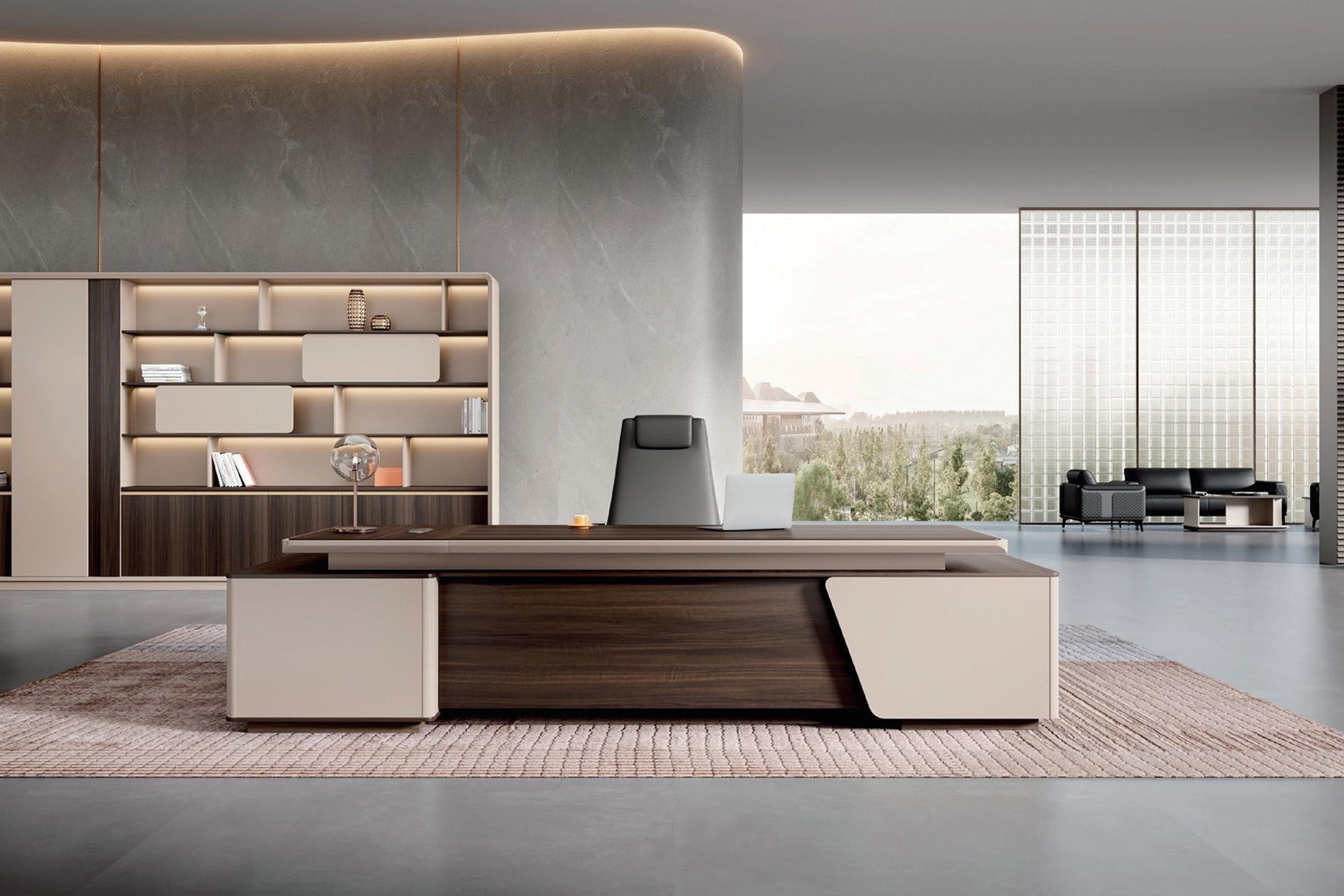

The new executive desk looks convincing in the showroom image: centered in the room, visitor side toward the door, storage return on one side. Then it reaches the office. The nearest outlet is behind the visitor chairs, the open door clips the corner of the return, and the afternoon sun lands directly on the monitor.
None of those problems appears in a furniture-only floor plan.
So, should an office desk face the door? It can, provided the position leaves a workable power route, protects the screen, and lets people enter without squeezing around the furniture. In a smaller office, placing the desk against a wall or perpendicular to the doorway may work far better. What matters is how the desk works once the door, window, outlet, chairs, and monitor are included.
Before browsing executive desks or comparing everyday office desks, test the doorway, window, outlet, chair, and visitor path together. The same desk can behave very differently in each position.
Start at the Doorway, Not at the Empty Wall
Stand just outside the office with the door open to its normal position. Take a photo at eye level. This is the view a coworker, client, or delivery installer will have before entering.
Now mark the proposed monitor, chair, and desktop on that photo. If the screen faces the doorway, decide whether passersby could see confidential work. If the back of the monitor faces the doorway, check whether the desk still presents a finished, intentional visitor side. If the desk corner dominates the opening, the room may feel blocked even when the measured aisle technically fits.
Door swing matters here. A desk can clear the closed door and still interfere with the arc of an open door, a doorstop, or the space a person uses to step aside for a visitor. Include the handle as well as the door slab; it can catch the desk edge even when the closed door clears it.

“Facing the Door” Can Mean Two Different Things
People sometimes use the phrase to describe the front of the desk pointing toward the door. Others mean the seated user looks toward the door. For an executive desk, those usually describe the same arrangement: visitors approach the finished front panel, while the user sits behind the desk and can see the entrance. Still, name the user side and visitor side on the plan. That simple label prevents a left-return desk from being ordered for a right-return room.
There are three common office desk placement choices, and none is automatically correct.
With the desk facing a wall, the room keeps more open floor area. A nearby wall outlet can be easier to reach, and the back of the desk does not need to be presentation-ready. The tradeoff is what happens behind the user. A door at the user’s back can be distracting, and the monitor may be visible from the hallway. This position can work well when visitor meetings are rare or when the doorway sightline does not reach the screen.
With the desk perpendicular to the door, several conflicts become easier to separate. The user can often see the entrance without sitting directly in line with it. A monitor can be placed roughly perpendicular to a nearby window, and guest chairs can sit beside the entry path instead of in the middle of it. Watch the near desk corner: if it is too close to the doorway, it becomes the first obstacle everyone walks around.
With the user facing the door, the office gains a clear host-and-visitor arrangement. The back of the monitor usually faces arriving visitors, which can improve screen privacy from the doorway. This is the familiar floating executive desk layout, but it asks more of the room. The visitor chairs, desk, working chair, and wall behind the user all need space at the same time. Power also has to reach the desk without creating a cord across the walking route.
A centered desk in a product photo tells you little about the power route. Floor boxes, wall outlets, baseboards, door swings, and the final cord leaving the furniture are usually outside the frame.
Test the Window When the Office Is Actually in Use
A desk that looks fine at 9:00 a.m. can become difficult at 3:00 p.m. Visit the room near the time direct sun or the brightest reflected light normally appears. Put a laptop or spare monitor at the proposed screen location and display a dark page. A cardboard rectangle cannot reveal glare.
As a practical starting point, position the screen roughly perpendicular to the window rather than directly facing it or sitting with the window immediately behind it. A screen facing the window can put a bright view beyond the display. A window behind the user can reflect on the screen and create a strongly backlit video-call image. Blinds help, but they should not be the only reason a desk position works.
Also check whether a tall side cabinet blocks useful daylight or forces the monitor toward a brighter part of the room. The best desk direction may change when the full storage return is drawn, not just the main desktop.

Plan the Power Exit Before You Float the Desk
A desk against a wall can usually send its final cord toward a nearby outlet. A floating executive desk may put that outlet several feet behind the user or across the visitor path. Do not assume a longer cord will solve the layout. First decide where power enters the furniture, where adapters and a power strip will be supported, and where one final supply cord will leave the desk.
If the room has a floor box, record its exact position from two fixed walls. Then compare it with the solid panels, side cabinet, and working side of the selected desk—not merely with the center of the desktop. A floor box under a drawer pedestal can be harder to use than one just outside the footprint.
If power must come from a wall, keep the final cord out of doorways, chair paths, and visitor legroom. A desk with cable access can organize the route through the furniture, but it cannot change a poorly located room outlet. The Modern L-Shaped Executive Desk with Cable Management Box, for example, is offered in multiple sizes and left- or right-side configurations. The selected orientation changes where storage and cable routing meet the room.
Choose the Return Side from the Room, Not Habit
Right-handed users do not automatically need a right-side return, and left-handed users do not automatically need the opposite. The return side is a room decision first.
Put the return where it will not occupy the doorway, cover the usable outlet, collide with a radiator or vent, or push visitor chairs into the entry path. Then check how the user reaches frequently used files, a printer, and meeting materials. A Modern L-Shaped Executive Desk with Side Storage Cabinet offers different sizes and left- or right-side cabinet choices, so the footprint should be tested as the exact configuration being ordered.
Run This Ten-Minute Placement Test
Painter’s tape is useful, but tape only shows the footprint. Add enough temporary objects to reproduce how the room will behave.
- Mark the exact main desktop and return.Use the dimensions of the specific size and left- or right-side configuration under consideration.
- Place the working chair.Roll it back, stand up, and walk behind it as you would during a normal day.
- Add every visitor chair.Sit in each one and check knees, bag space, and the path from the door.
- Open the room door fully.Include the handle and the space a person needs to enter, turn, and close the door.
- Set a real screen in position.View it from the doorway, visitor chair, and window side; then check glare at the brightest working hour.
- Trace one power route.Follow it from the monitor, through the desk, to the exact wall outlet or floor box.
- Take a doorway photo.It often reveals a blocked entrance or exposed screen more clearly than the taped floor.
Do not remove the tape immediately. Leave it in place for part of a workday if the room is available. Let the intended user enter with a laptop bag, pull out a file, welcome a visitor, and reach the printer. A layout that works only while everyone stands still is not finished.
Check the Space Behind the User Separately
Desk direction and chair clearance are related, but they are not the same measurement. A door-facing desk may fit within the room while leaving too little space for the user to roll back or for someone to pass behind the chair. Conversely, a wall-facing desk may preserve chair movement but expose the screen to the doorway.
Measure from the user-side edge of the actual desktop, not from the front visitor panel. Include baseboards, handles, wall cabinets, and any door behind the chair. If the chair area also serves as a circulation route, test a seated user and a passing person at the same time. The Zimasya guide to office chair clearance behind a desk explains how to separate working room from shared passage space.
What to Confirm Before Ordering
Once one desk position passes the room test, confirm the product details that could still change it:
- Overall dimensions of the exact selected size, including the return or attached cabinet.
- Whether the return, side cabinet, or storage section is on the left or right from the seated user’s point of view.
- The finished appearance of the visitor side and the rear side that will remain visible.
- The location and function of cable openings, along with the intended exit toward the room connection.
- Drawer and door swing, especially near walls, guest chairs, and room doors.
- Assembly access and whether the completed furniture can be turned into its final position.
If a drawing or product photo leaves one of these unclear, contact Zimasya with the room sketch and selected variant before placing the order. A marked-up doorway photo is often more useful than a general question about whether a desk “fits.”
Frequently Asked Questions
Should an office desk face the door?
It can, especially when the user meets visitors and wants a clear view of the entrance. Keep that position only if the visitor chairs, working chair, door swing, power route, and screen privacy all work together. A perpendicular position may be more practical in a narrow room.
Is it bad to have a desk facing a wall?
No. A wall-facing desk can simplify power access and preserve open floor area. Check what happens behind the user: the doorway may be distracting, and people in the hall may be able to see the screen.
Should a desk face a window?
Usually, placing the monitor roughly perpendicular to the window is easier to manage than putting a bright window directly in front of or behind the screen. Test the proposed position with a real display at the room’s brightest working time.
Can an executive desk sit in the middle of a room?
Yes, if the desk has an appropriate finished rear or visitor-facing side and the room can support cables without crossing a walking path. Also allow for visitor seating, chair movement, and assembly access around the full footprint.
How do I know which side an L-shaped desk return should be on?
Decide from the seated user’s position, then compare both orientations against the door, window, outlet, visitor chairs, and fixed room features. The best side is the one that protects circulation and power access while keeping frequently used storage within reach.
Let the Room Make the Final Call
Face the door if it creates a comfortable welcome, keeps the screen private, and allows a clean connection to power. A perpendicular position may do a better job of separating the window, entrance, and work zone. A wall-facing desk may preserve more open floor area and shorten the cable route. Whichever direction looks promising, walk through it with the actual screen, chairs, door, and selected desk configuration—even if the first version is only tape and cardboard. Ten minutes of movement before ordering can prevent years of walking around the wrong corner.


